save file · NFS Underground 2

NFSU2 100% save— a finished Need for Speed Underground 2 game file

A career finished 100%, saved back in 2011. You start with $174,425 and a fully modded Toyota Celica, free to buy any car and tune it however you like.

career
100%
cash
$174,425
fully modded
Celica

free · no sign-up

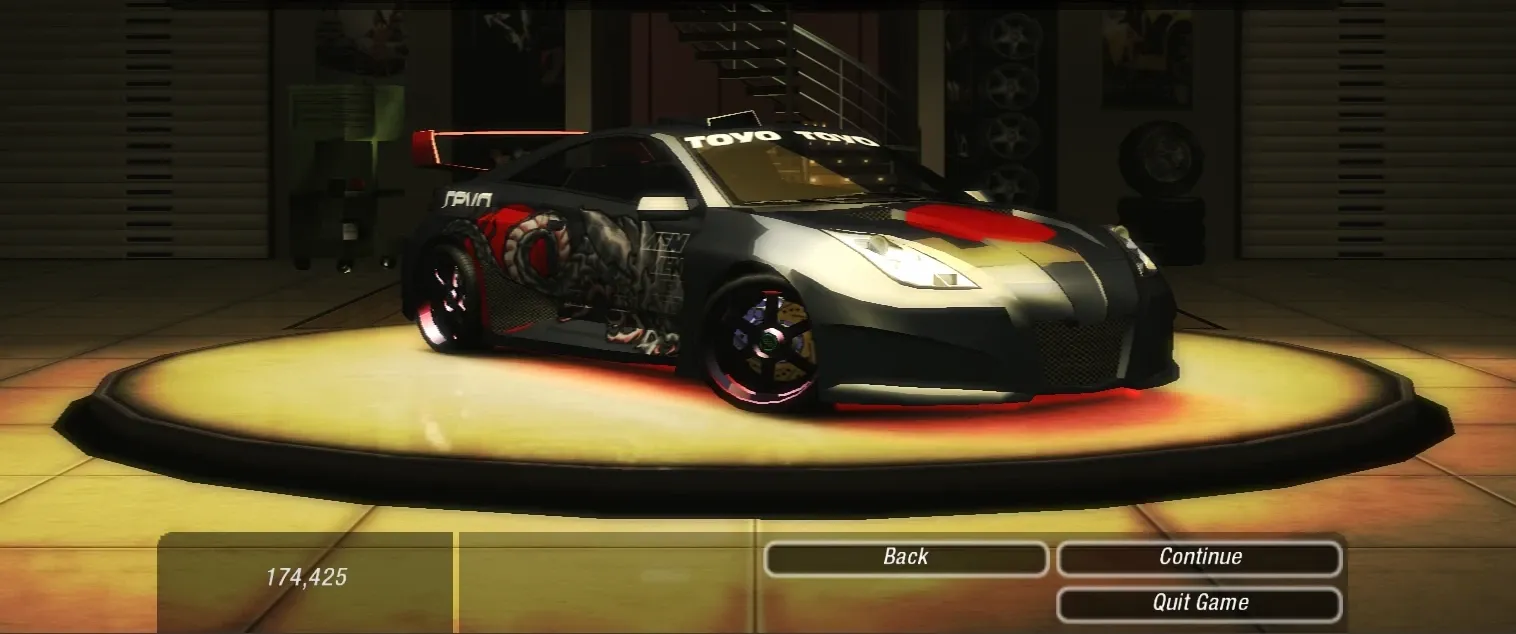
The game’s garage screen: a fully modded black Toyota Celica, with 174,425 cash at the bottom left.
in-game · the garage

How to load it

In the browser

nfsu2.xyz · single file

  1. Download the peekdock file.
  2. Open nfsu2.xyz and go to the Saves tab.
  3. Press Restore and pick the peekdock file.
  4. Press Play. The profile loads straight away.

Already have profiles there? Press Download backup first.

Size
54 KB
SHA-256
a79d8bb2e3d3c0c0774afe10f9376df84c8edf667ad0721ba8ba4bf095d5905e

On PC

the original game · .zip

  1. Download the zip and extract it. You get a peekdock folder.
  2. Copy the folder into Documents\NFS Underground 2\.
  3. Start the game and load the peekdock profile.

Your own profiles sit in the same folder and stay untouched.

Size
10 KB
SHA-256
4e2abb48f38a064bffd3daa1bafbdecdfcbbc6af29a5bbb382b36de4ba33b59e

What’s inside

  1. Career 100% complete
  2. $174,425 in cash, ready to spend
  3. A fully modded Toyota Celica in the garage
  4. Buy any car and tune it however you like
  5. Profile name: peekdock

Saved:

Questions

Is the file safe?

Yes. There is no program inside, only the game’s own save data. Each file’s SHA-256 is listed next to its download button, so you can check that what you got is the same file.

Which version does it work with?

It comes from the PC version of the game and also loads on nfsu2.xyz, the browser version.

Will it overwrite my own save?

On PC, no: every profile has its own folder, and peekdock is added next to yours. On nfsu2.xyz, back up your profiles with Download backup before you press Restore.

Is it free?

Yes. Free, no sign-up, no ads.